HR Planner has been developed as a Progressive Web Application (PWA) which means that it does not require a dedicated Apple or Android application to be installed to use it on mobile devices.
The full functionality of the application is available and can be installed as an App on any mobile or desktop device.
To add HR Planner as an app on your phone or desktop is quite simple. For Android you need to use your Chrome Web Browser and for Apple you need to use Safari.
Installing HR Planner on Apple iPhone (iOS)
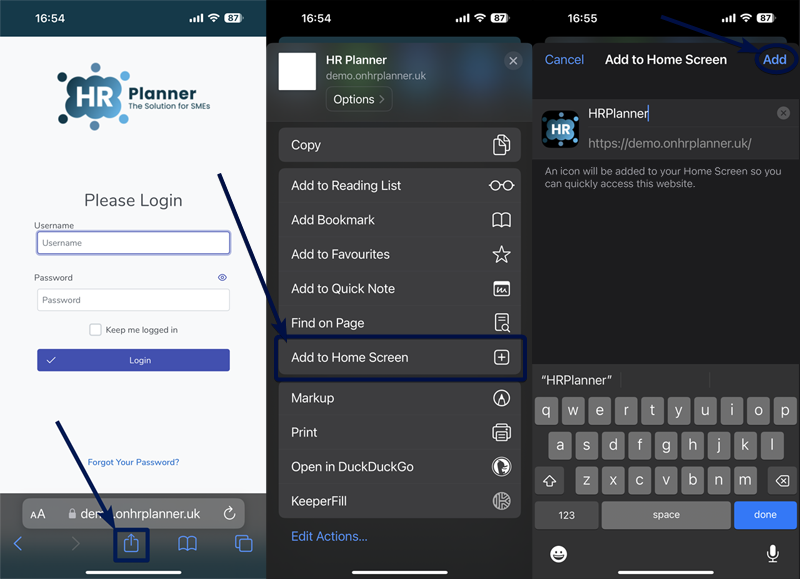
HR Planner can only be installed on iOS using the Safari web browser. First, navigate to your unique HR Planner system in Safari which will be in the form of https://yourcompany.onhrplanner.uk/.
When you see the Login screen press the “Share” button and select “Add to Home Screen” from the popup. Lastly, tap “Add” in the top right corner to finish installing the HR Planner application.
HR Planner will now be installed as an app and available on your home screen.
Installing HR Planner on Android Phones
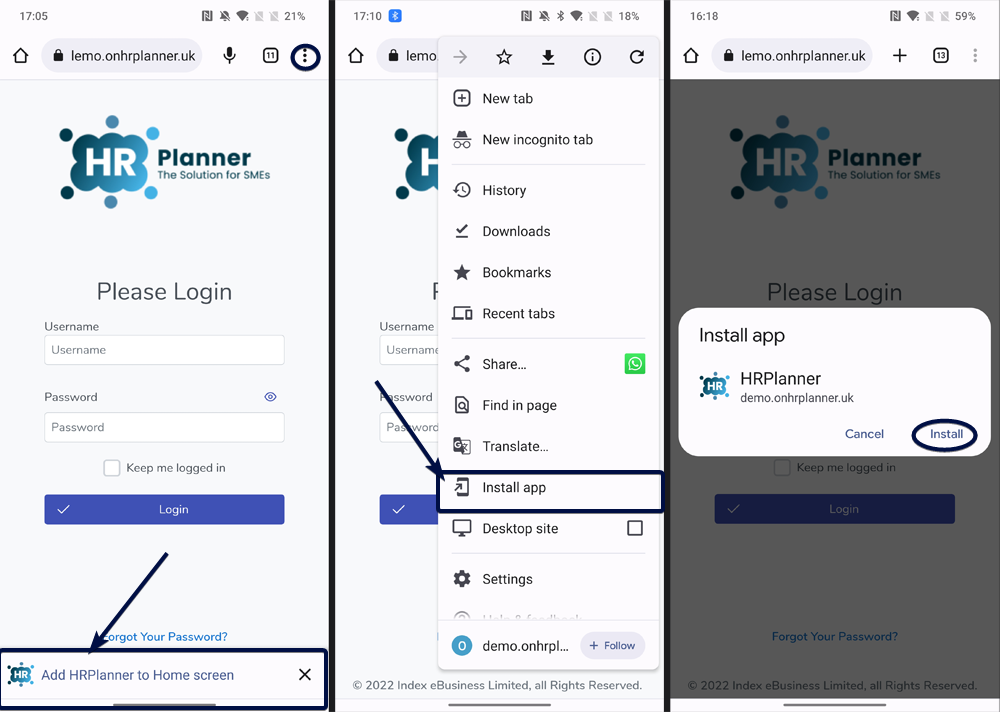
The Chrome browser is used to install HR Planner on Android phones. First, navigate to your unique HR Planner system in Chrome which will be in the form of https://yourcompany.onhrplanner.uk/. You may see a message at the bottom asking you to “Add HR Planner to Home screen”. Pressing that message will install the app on your home screen.
If you don’t see the message at the bottom press the “three dots” icon in the upper right to open the menu and then choose “Install app” and finally press the “Install” button in the popup.
HR Planner will now be installed as an app and available on your home screen.
Installing HR Planner on a Windows PC or Mac
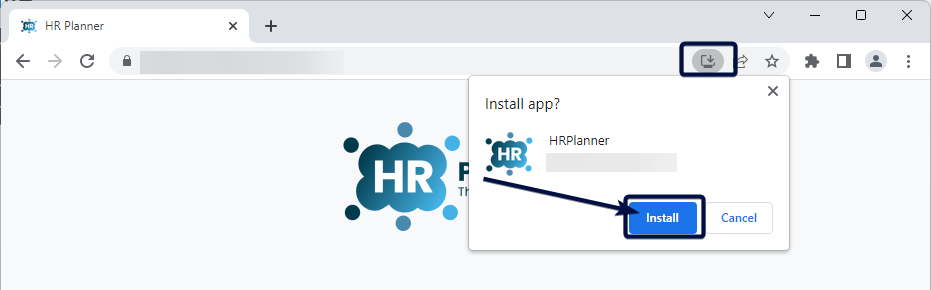
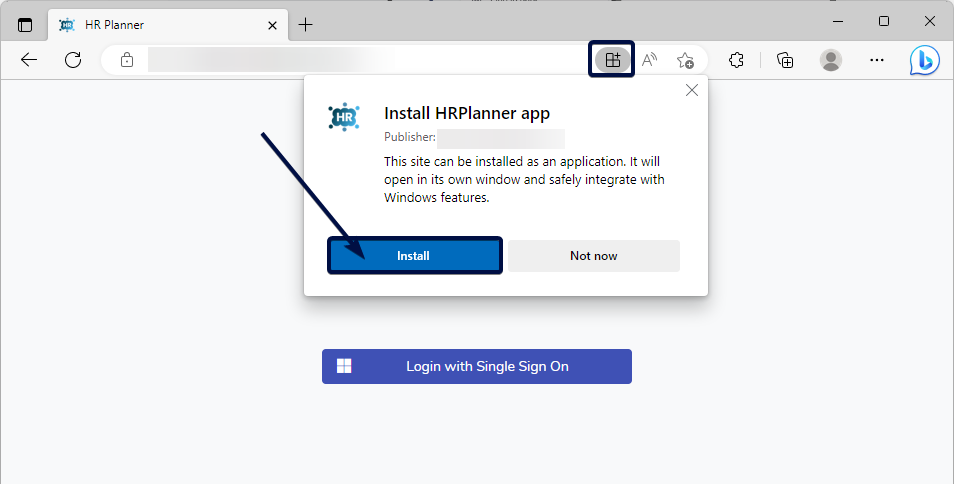
Google Chrome and Microsoft Edge currently have the best support for HR Planner on Windows and Mac OS. The installation process is very similar for both browsers. First, navigate to your unique HR Planner system which will be in the form of https://yourcompany.onhrplanner.uk/. When the page has loaded there will be an icon on the right side of the URL bar. Click the icon then click the “Install” button. Alternatively, you can install the HR Planner from the “three dot” menu.
On a Windows PC, HR Planner will be available in the start menu. On a Mac, the HR Planner will be in the launcher and in the spotlight search .
Microsoft Edge:
Google Chrome: