
How to apply a working pattern to an employee that starts on specific date.
1. Introduction
This guide will walk you through the process of setting a specific start date for a new working pattern.
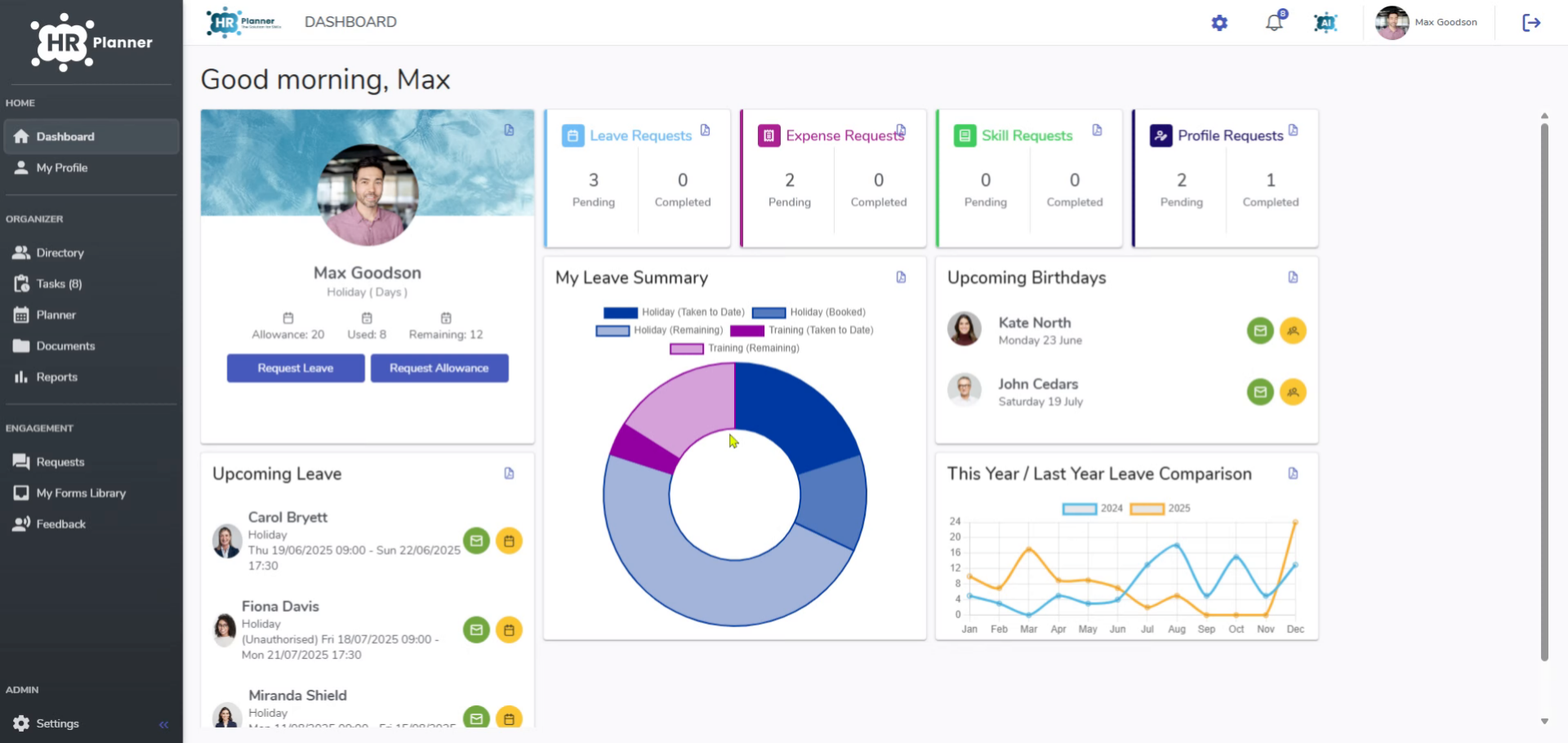
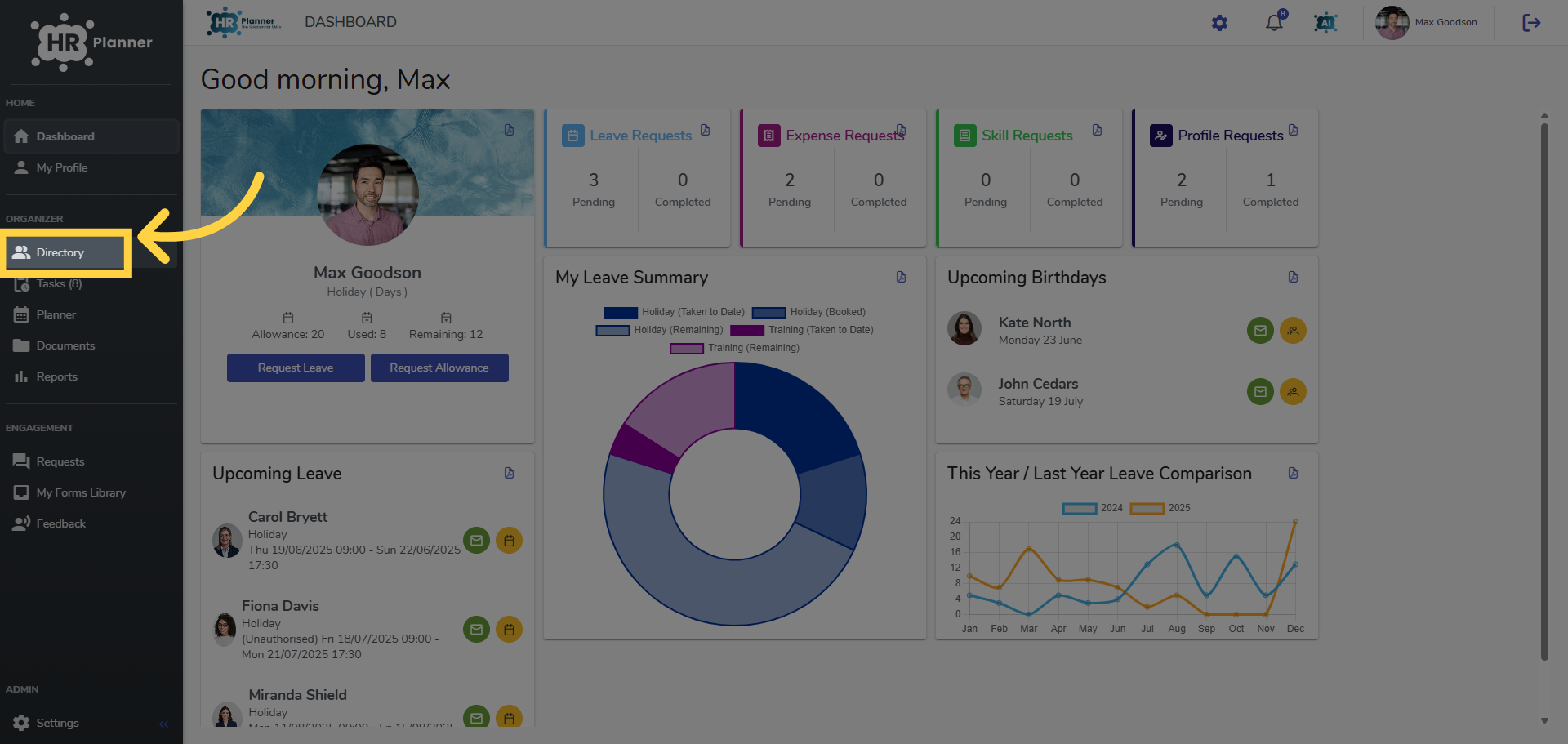
2. Click “Directory”
Access the Directory section.
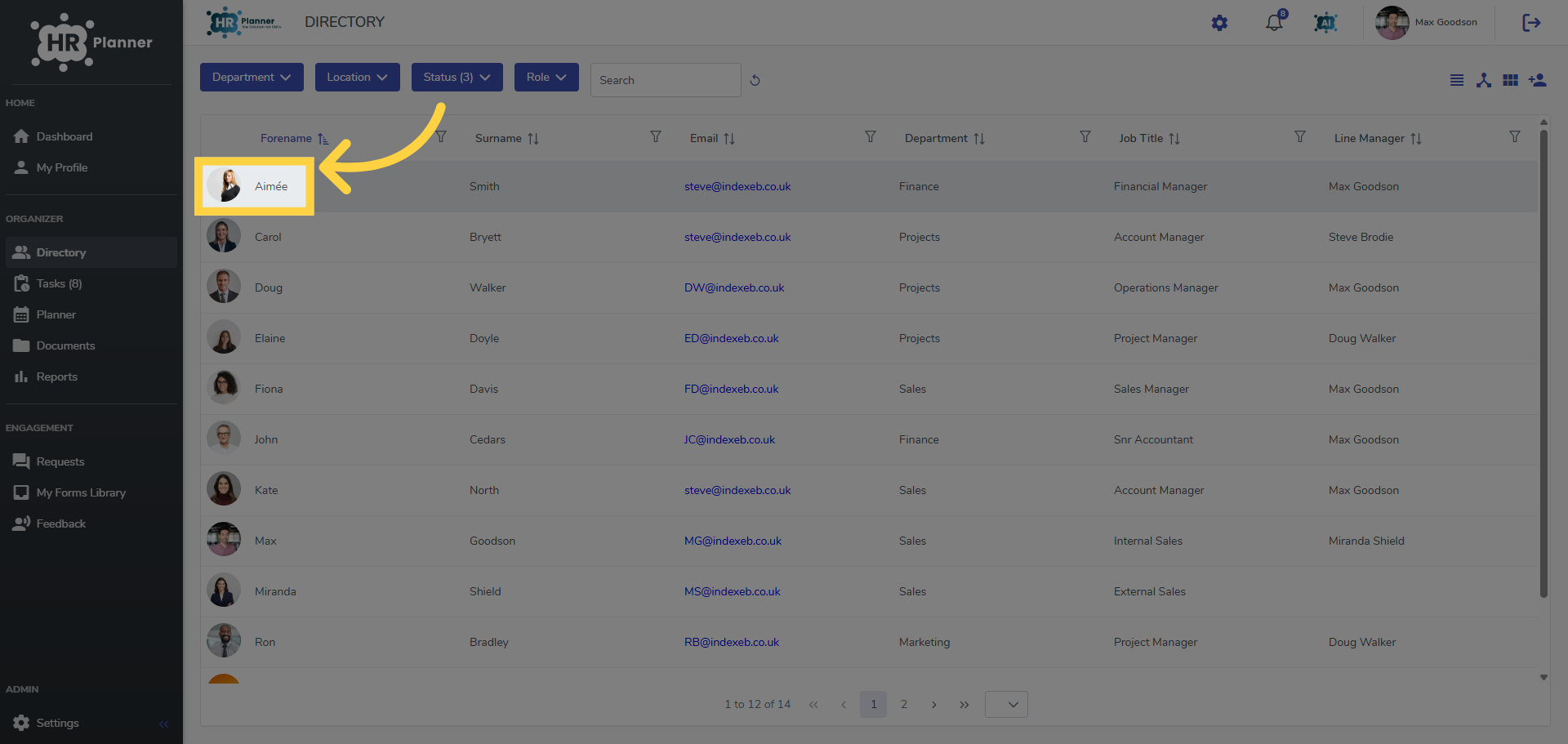
3. Select the Employee
Select the specific employee.
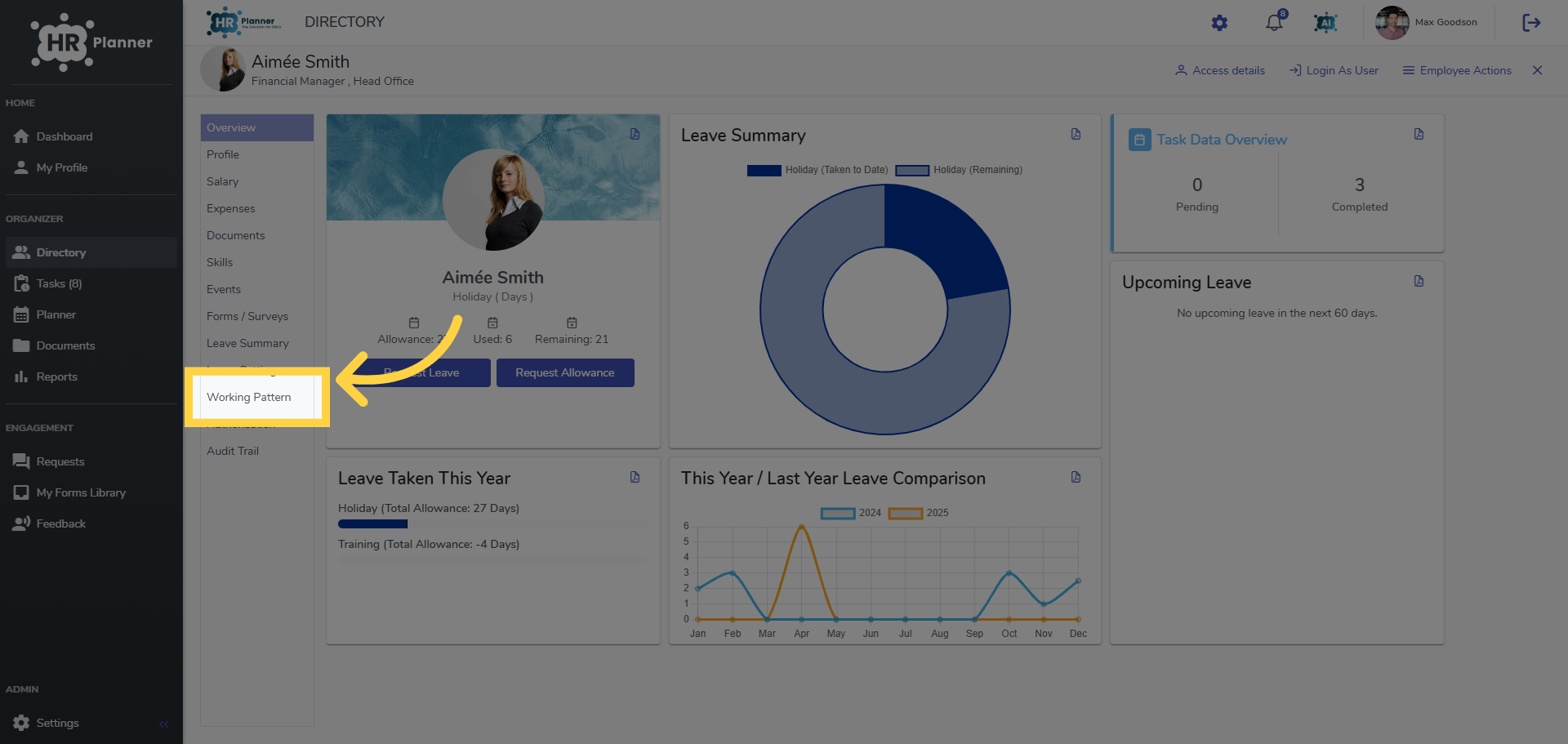
4. Click “Working Pattern”
Navigate to their Working Pattern ta.
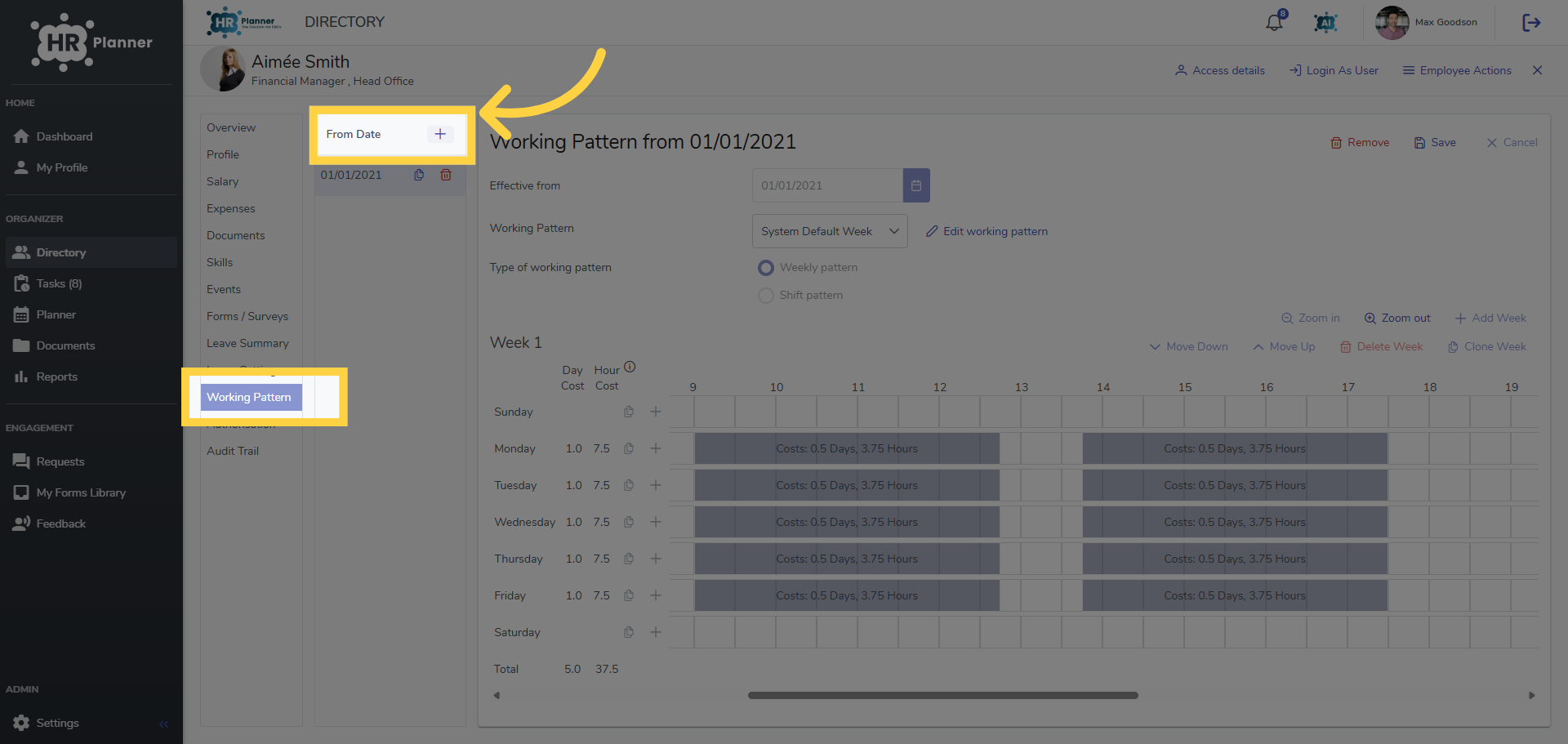
5. Click “From Date”
Click the From Date icon.
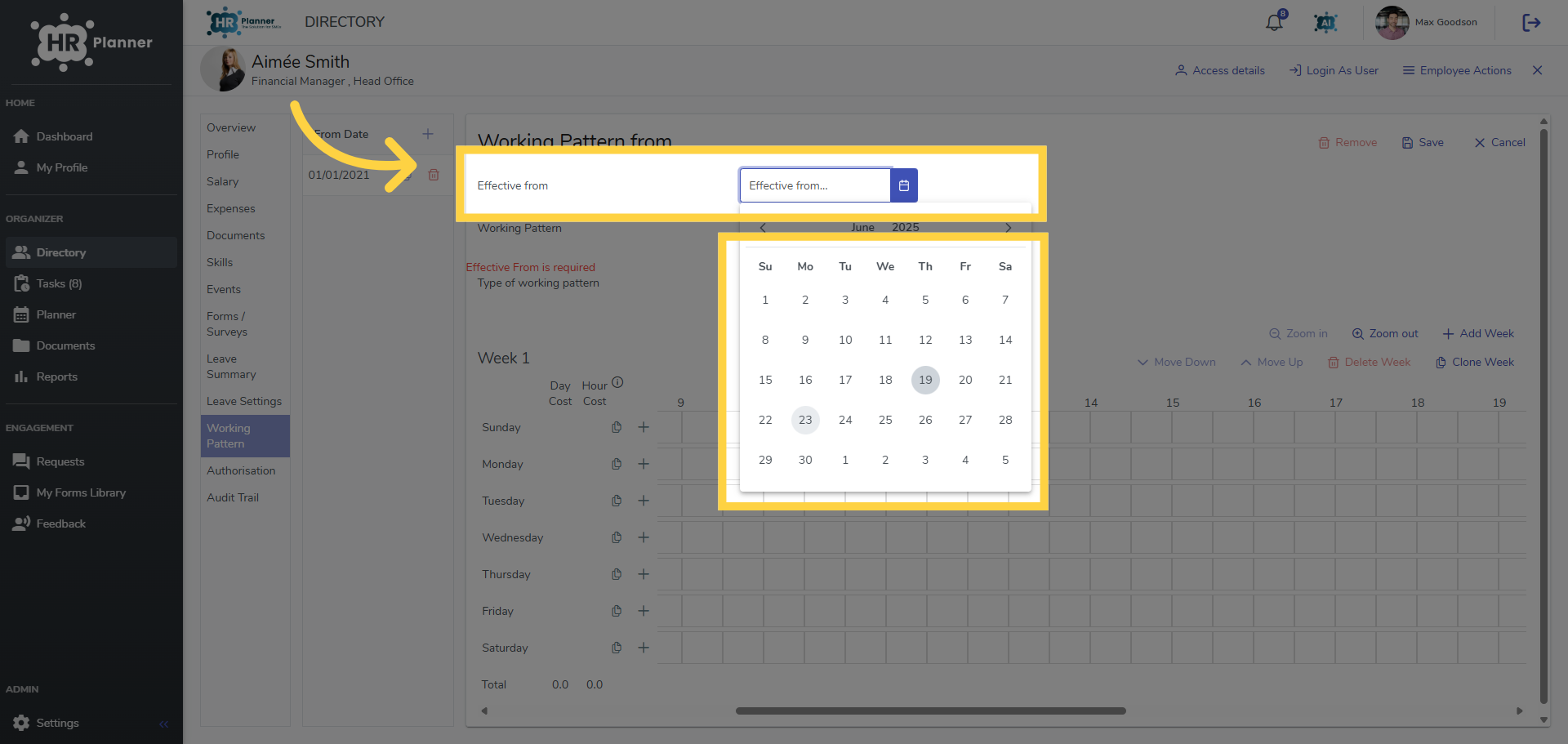
6. Set the Start Date
and set the start date for the new working pattern to begin.
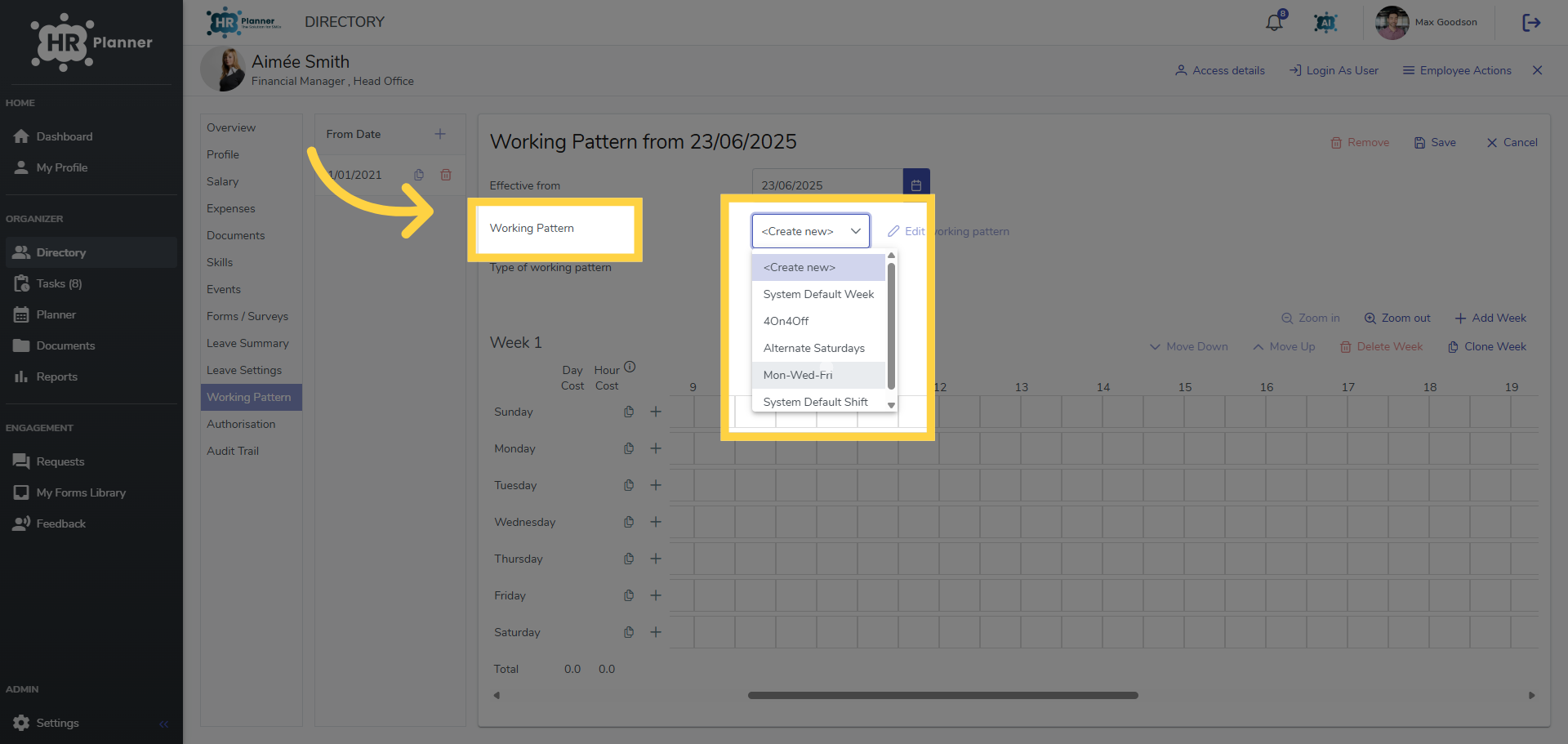
7. Select the Working Pattern
Choose the new working pattern from your list or create your own.
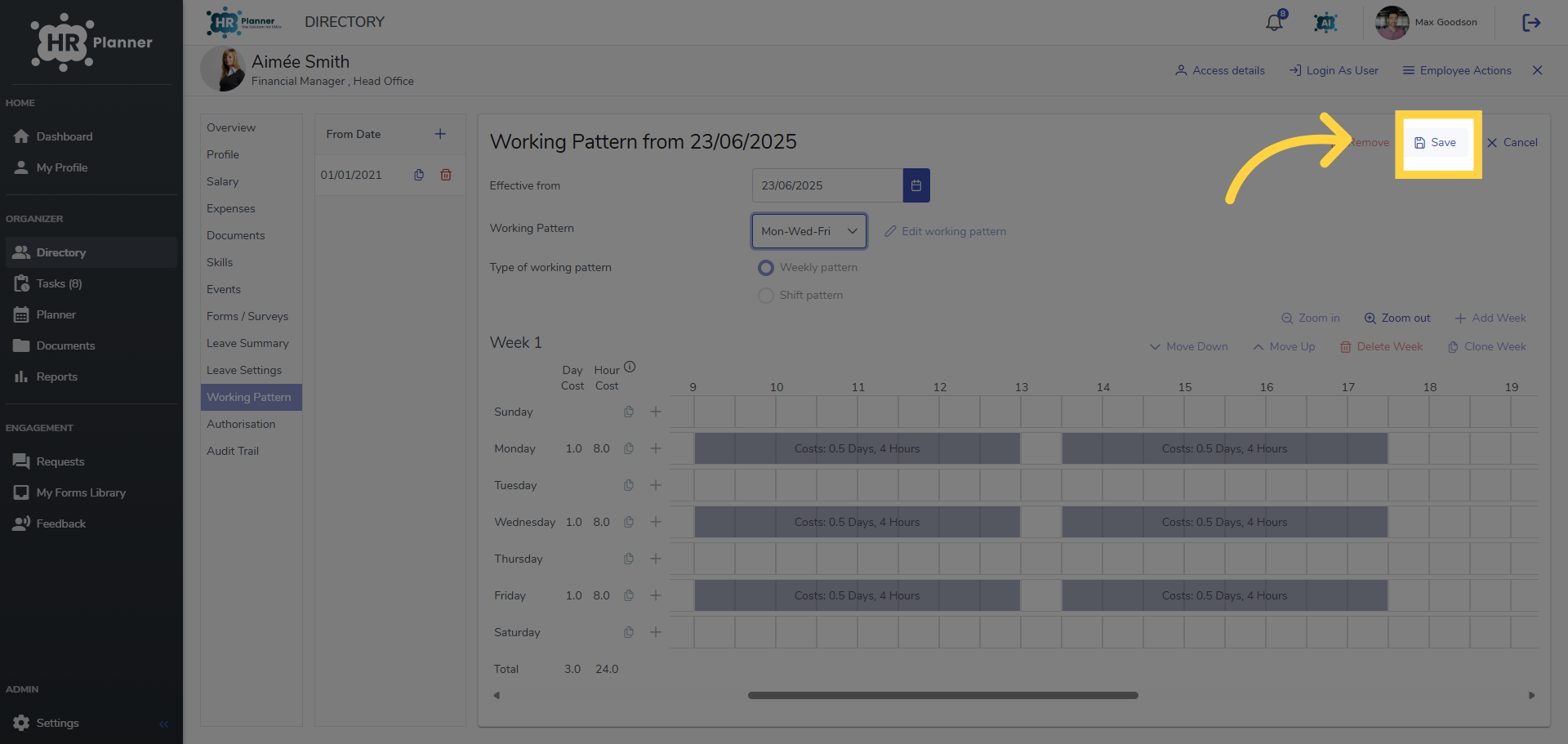
8. Click “Save”
Save the changes made.
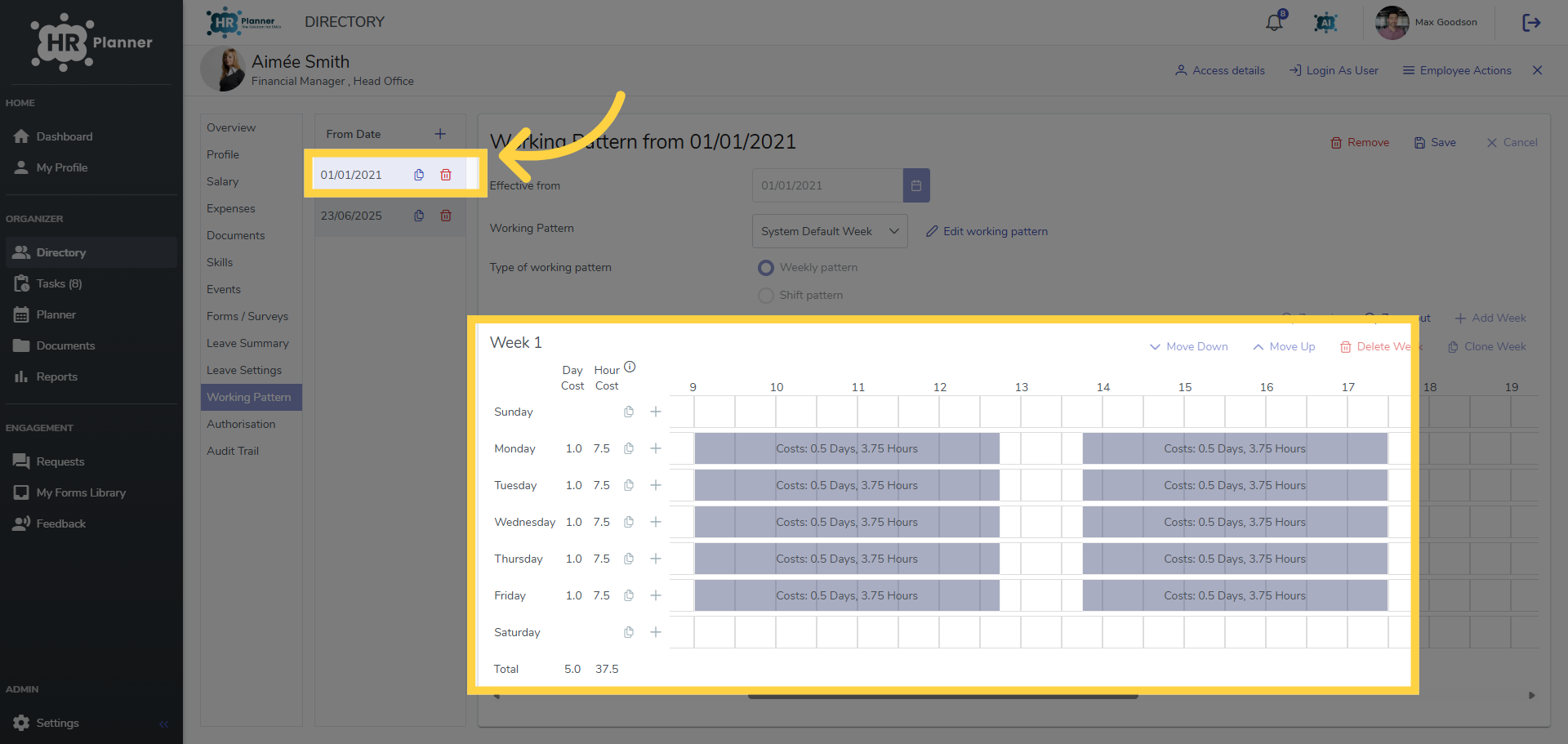
9. Click the Working Period
You can see there are now two working periods. The original working pattern…
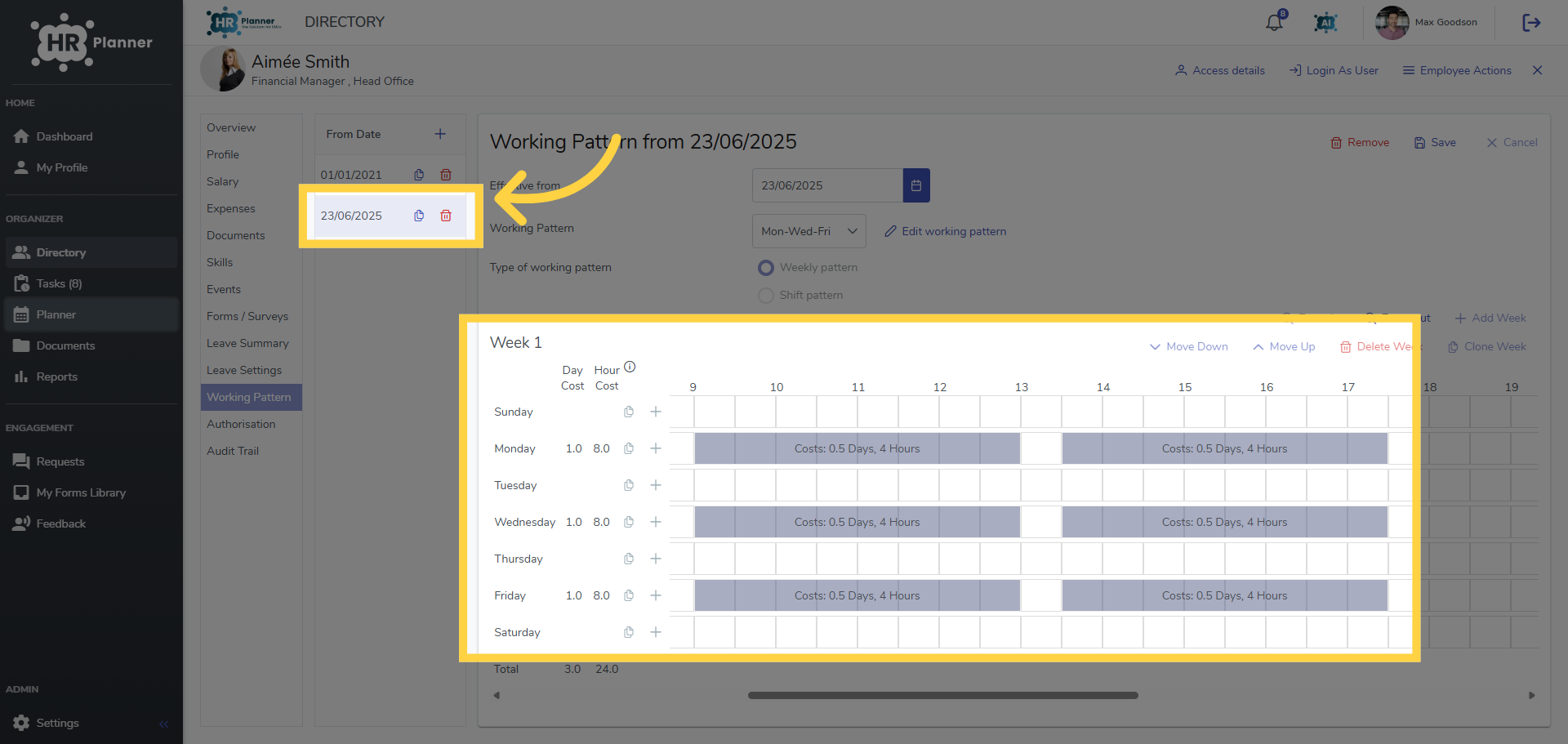
10. Click the Working Period
And the new working pattern starting on the required date.
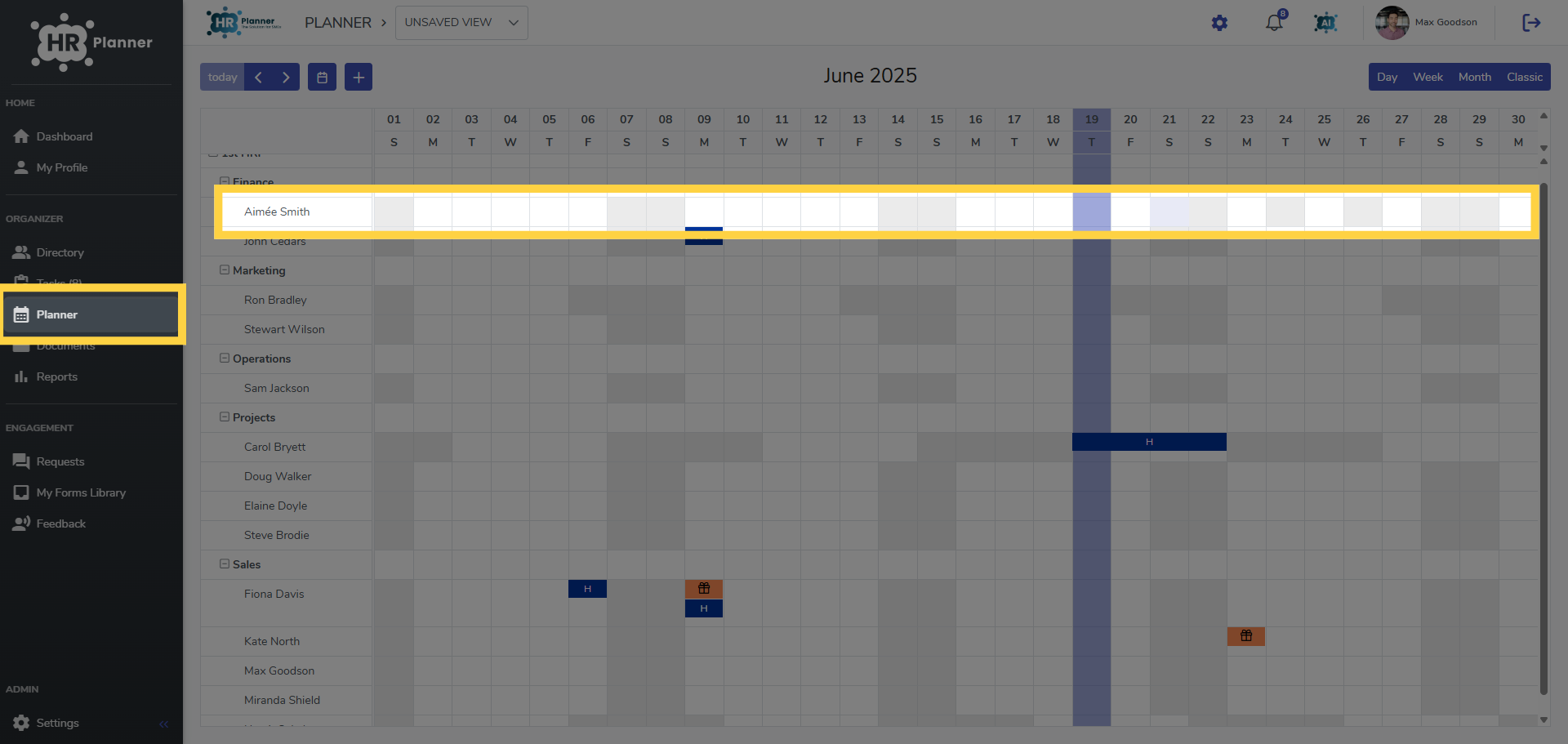
11. Go to the Planner View
And you can see the working pattern has changed on the specific date in the Planner.
This guide covered the detailed steps on how to apply a working pattern with a specific start date.