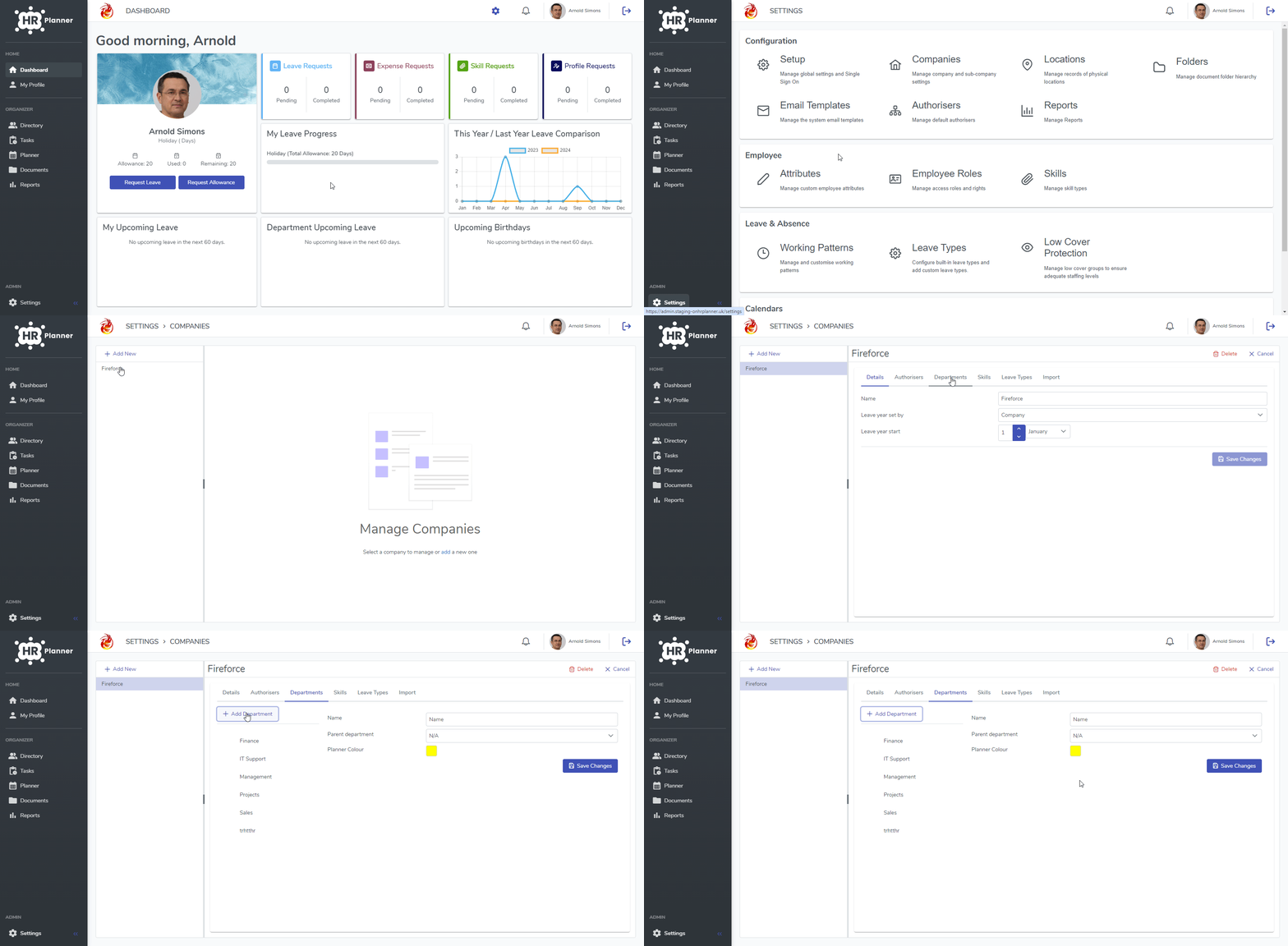
This guide will show you how to add a new Department
- From your Dashboard, click Settings.
- Select Companies from the Configuration group.
- Choose the Company that you want to add the new Department to from the left.
- Next, click on the Departments tab.
- Click the “+ Add Department” button and complete the form.
- Finally, click Save Changes to add the new Department.