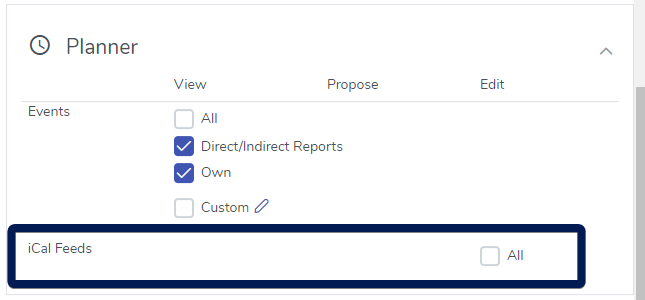
An iCal Feed is an “Internet Calendar” Feed where information in HR Planner can be pulled into other calendars like Microsoft Outlook and Google Calendar however there is no authentication required when pulling an iCal Feed – if you do not want any information to be available outside of HR Planner then leave this unticked.
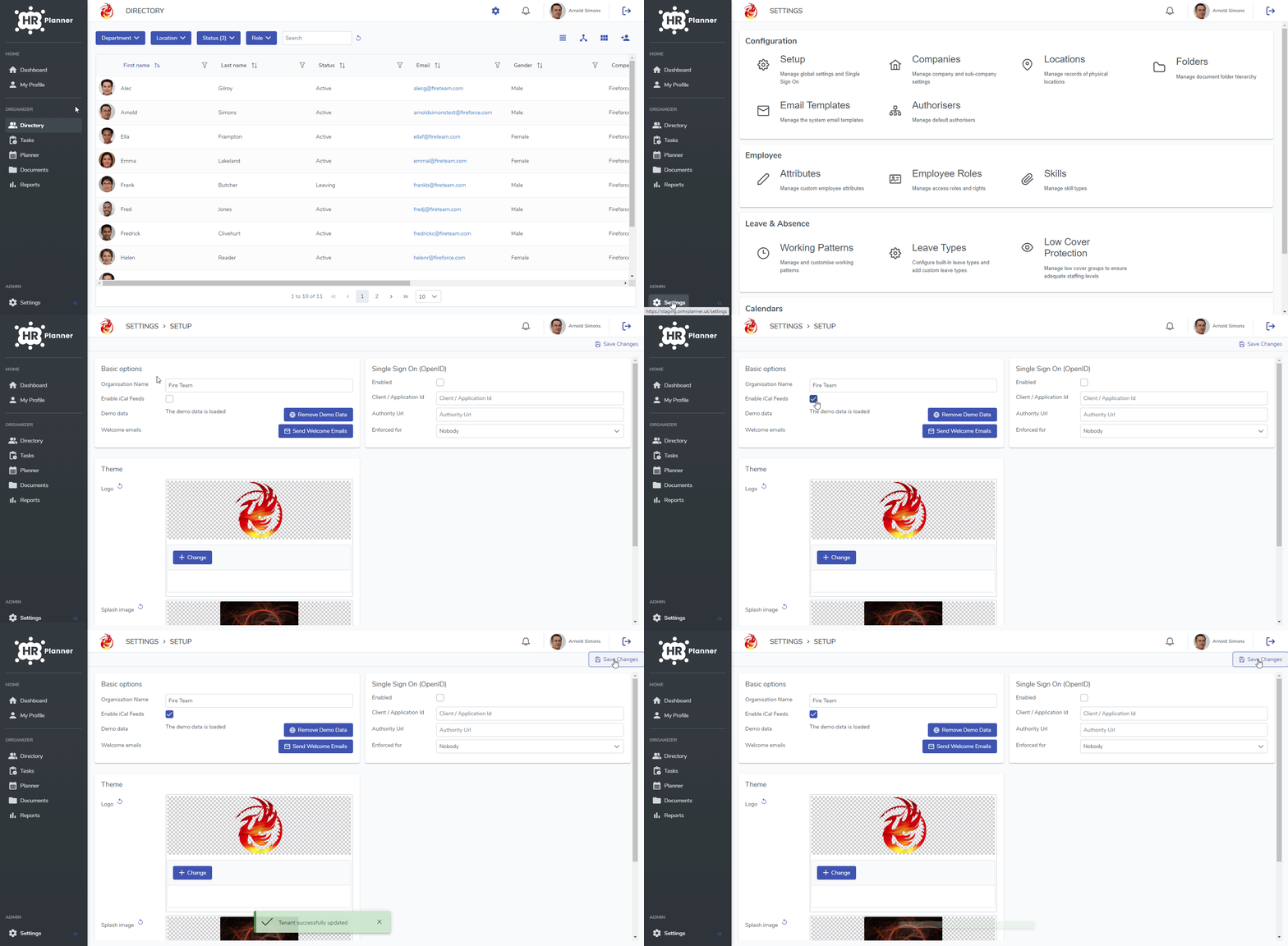
If you want to allow your employees to use iCAL Feeds then this is how you enable it.
- Navigate to Settings and then Setup
- Make sure there is a tick against “Enable iCal Feeds”
- Click Save Changes
iCAL Permissions
Once you have enabled iCAL Feeds you, as the Organisation Administrator, will already have the required permission to create them for any shared or private Planner Views.
If you want your users to be able to create them as well then you will need to assign the Planner->Edit permission against the required Employee Roles.