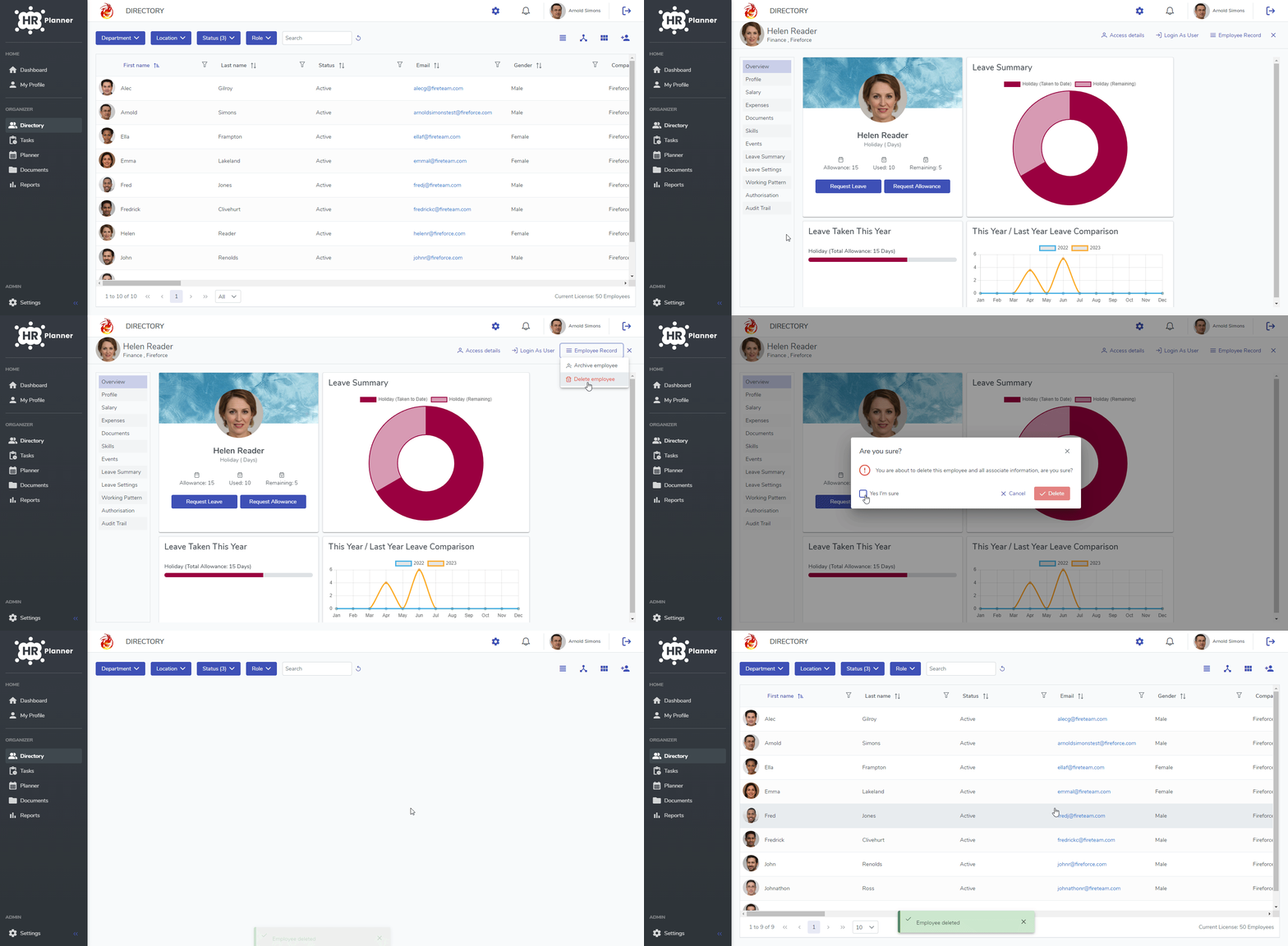
We generally recommend that you Archive an Employee instead of Deleting them as you may need to refer to their data in the future. If you decide that you need to completely delete an Employee instead of Archiving them then please follow these instructions.
- Click on Directory.
- Select the Employee you want to delete.
- Click on Employee Record menu and then the Delete menu at the top right hand side. This will then prompt you if you are sure you wish to delete the employee and following confirmation it will delete them.